A Real-World Lesson: The Missing DMARC Configuration
By DefendFlow Team
Recently, two of our founders were working on setting up a subdomain for customer outreach emails. We sat side by side to double-check everything was configured and migrated correctly—creating the subdomain, moving all SPF/DKIM/DMARC records to the new subdomain in our automated email service (Mailtrap), and updating our DNS provider (Cloudflare).
Everything seemed perfect. Or so we thought.
The Surprise Discovery
After completing the migration, I ran a scan of our domain using Radar (yes, we eat our own dog food!). To our surprise, our security score had dropped from 95 to 65!
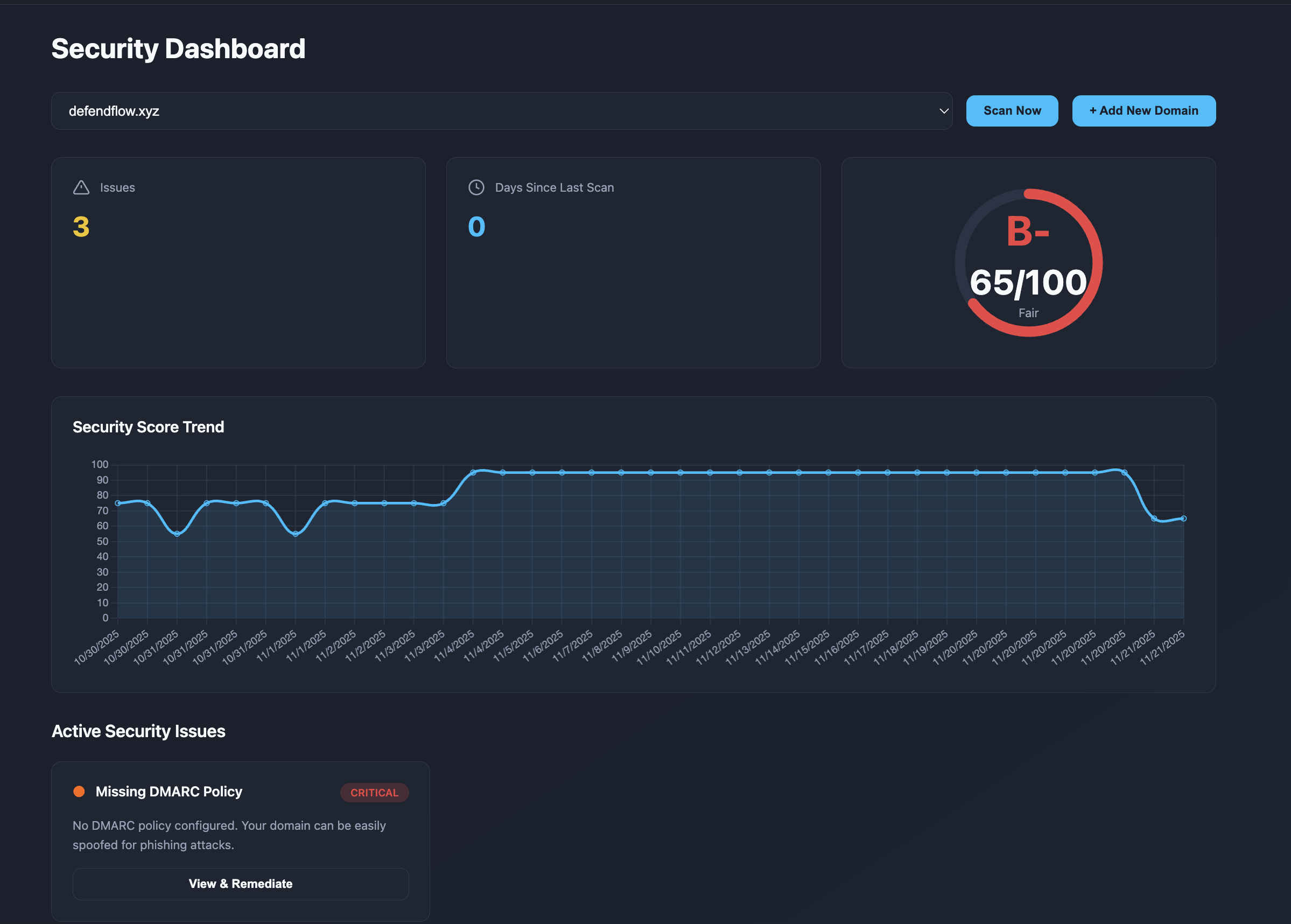
This was alarming. What could have gone wrong?
The Investigation
I immediately started investigating the issue. After carefully reviewing our DNS configuration, I identified the problem: we had completely missed re-configuring the DMARC record for our root/main domain!
The irony wasn't lost on me. I knew this type of reconfiguration required extra care, which is exactly why I had invited my co-founder to sit next to me and double-check everything. Despite our best efforts, we still managed to overlook something critical.
This is a perfect example of why security configuration is so challenging—even when you're being careful, it's easy to miss important details.
The Fix
Once we identified the issue, the fix was straightforward. We added back the root domain DMARC record:

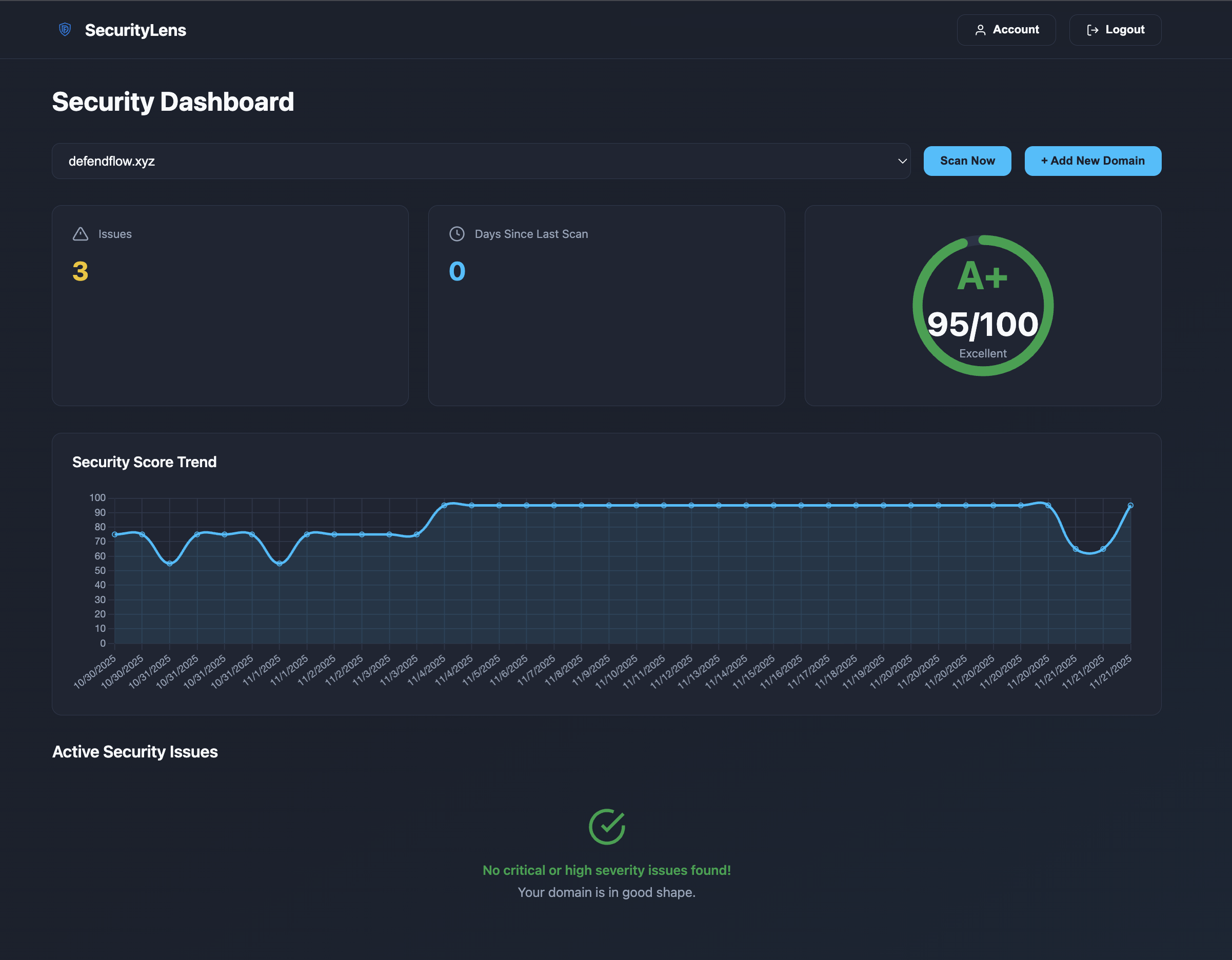
And just like that, our security score returned to the normal range:
The Value of Continuous Monitoring
This incident reinforced something we already believed deeply: security configuration isn't a one-time task—it's an ongoing process.
This is exactly why we built Radar and why we're so passionate about making security monitoring accessible and actionable.
How Radar Can Help
For Pro and Enterprise Users:
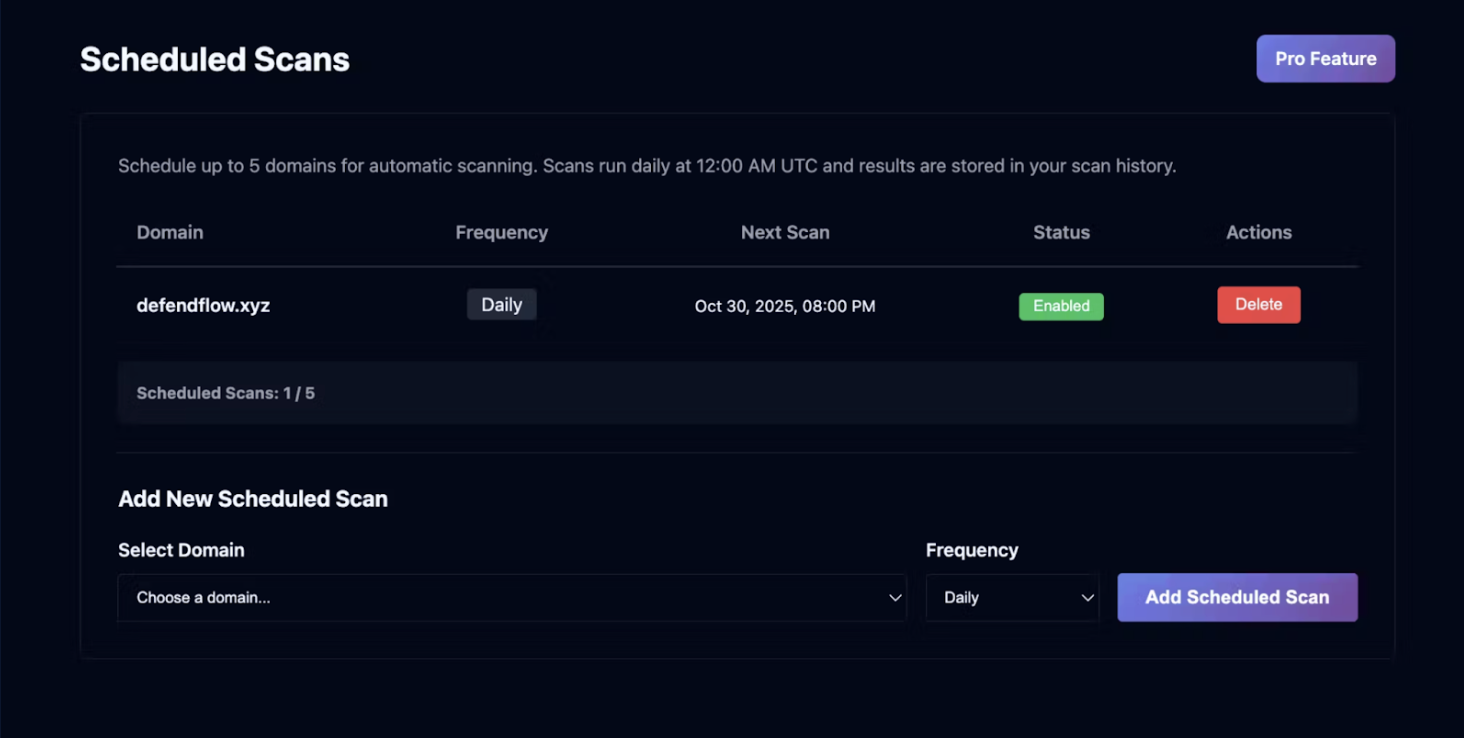
We offer scheduled scanning that automatically monitors your domain security at regular intervals. Here's how it works:
When a scheduled scan detects a security score drop, you'll see it immediately in your dashboard:
And you'll receive an instant email notification alerting you to the issue:
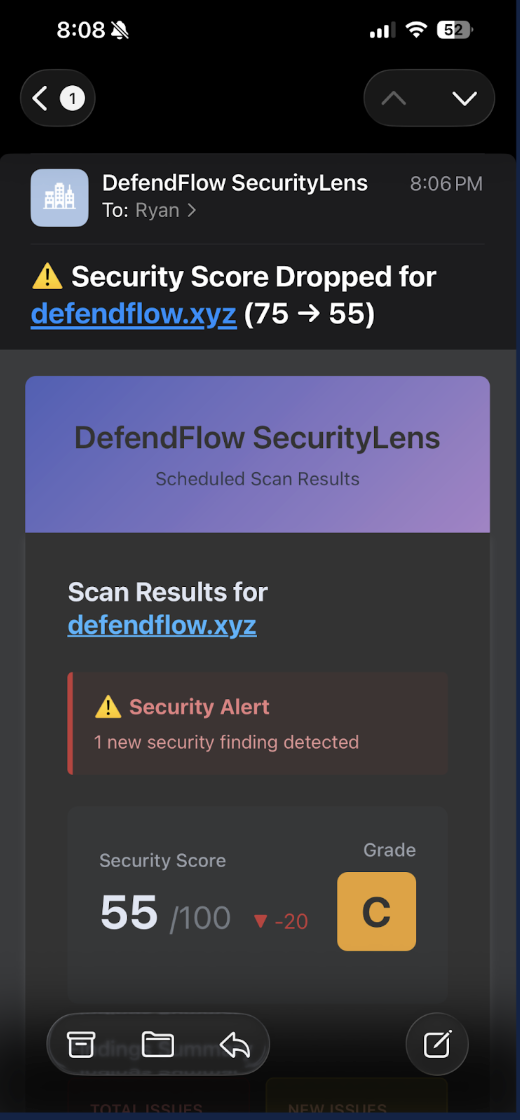
This means you don't have to remember to check manually—Radar watches for you 24/7.
Imagine if we hadn't run that manual scan. Our DMARC misconfiguration could have persisted for days or weeks, leaving our domain vulnerable to email spoofing and phishing attacks using our domain name. With scheduled scanning, this type of issue gets caught automatically, often within hours of the change.
Coming Soon: REST API Integration
We're currently working on a REST API for domain security scanning. Once released, Business and Enterprise customers will be able to integrate Radar directly into their development workflows.
Example use cases:
- Terraform Integration: Automatically scan your domain after DNS changes are applied
- CI/CD Pipelines: Run security checks as part of your deployment process
- Automated Compliance: Track and verify your security posture programmatically
- Custom Dashboards: Build internal monitoring tools that leverage Radar's scanning capabilities
This means security scanning can become a natural part of your infrastructure-as-code workflow, catching misconfigurations before they become problems.
Key Takeaways
1. Even experts make mistakes - Security configuration is complex, and oversight happens to everyone
2. Automation catches what humans miss - Scheduled scans provide a safety net for your security posture
3. Fast feedback is critical - The sooner you detect issues, the sooner you can fix them
4. Integrate security into your workflow - Security shouldn't be an afterthought; it should be part of your process
Try It Yourself
Want to see how your domain stacks up? Review the DefendFlow platform or contact the team for a pilot. Within Sovereign GRC, agents use the same Radar capability to validate controls continuously.
And if you're interested in scheduled scanning or our upcoming REST API, reach out to our team. We'd love to help you strengthen your security posture.
Have a similar story? We'd love to hear it. Security lessons learned are always worth sharing.